Phishing alert infographic: Lost iPhone with fake recovery message, arrows to stolen Apple ID; protective shields for verification and passwords, with "Don't Click Links" warning banner over a smartphone.

A new phishing campaign targets iPhone owners who lost their devices, sending texts claiming recovery with device details to steal Apple ID credentials. The messages, appearing from Apple, link to fake login pages that mimic official sites.
Phishing alert infographic: Lost iPhone with fake recovery message, arrows to stolen Apple ID; protective shields for verification and passwords, with "Don't Click Links" warning banner over a smartphone.Phishing alert infographic: Lost iPhone with fake recovery message, arrows to stolen Apple ID; protective shields for verification and passwords, with "Don't Click Links" warning banner over a smartphone.

The goal is to bypass Activation Lock for resale. Attackers get contact info from SIM cards or Find My messages. NCSC reports rising cases.
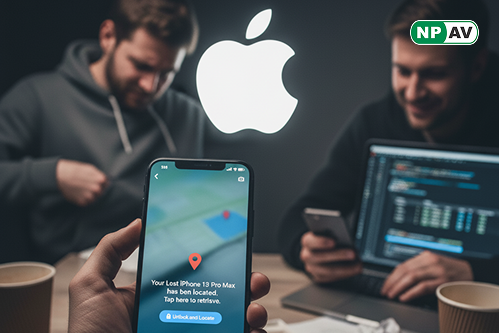
Phishing alert infographic: Lost iPhone with fake recovery message, arrows to stolen Apple ID; protective shields for verification and passwords, with "Don't Click Links" warning banner over a smartphone.Phishing alert infographic: Lost iPhone with fake recovery message, arrows to stolen Apple ID; protective shields for verification and passwords, with "Don't Click Links" warning banner over a smartphone.

Protect yourself: Never click links in unsolicited messages, verify claims directly via Apple, and use strong passwords. Report suspicions to avoid account takeover.


NPAV offers a robust solution to combat cyber fraud. Protect yourself with our top-tier security product, FraudProtector.net